Thinking About Switching From SROD?
SROD by Lufkin has been a staple in rod pump design for decades. PetroBench builds on that foundation with a cloud-native platform designed for how engineering teams work today - no Windows desktop required.
Side-by-Side Comparison
A straightforward comparison of what each platform offers. Green checks where both tools deliver.

Want to see the differences in action? Book a 20-minute walkthrough using your own well data.
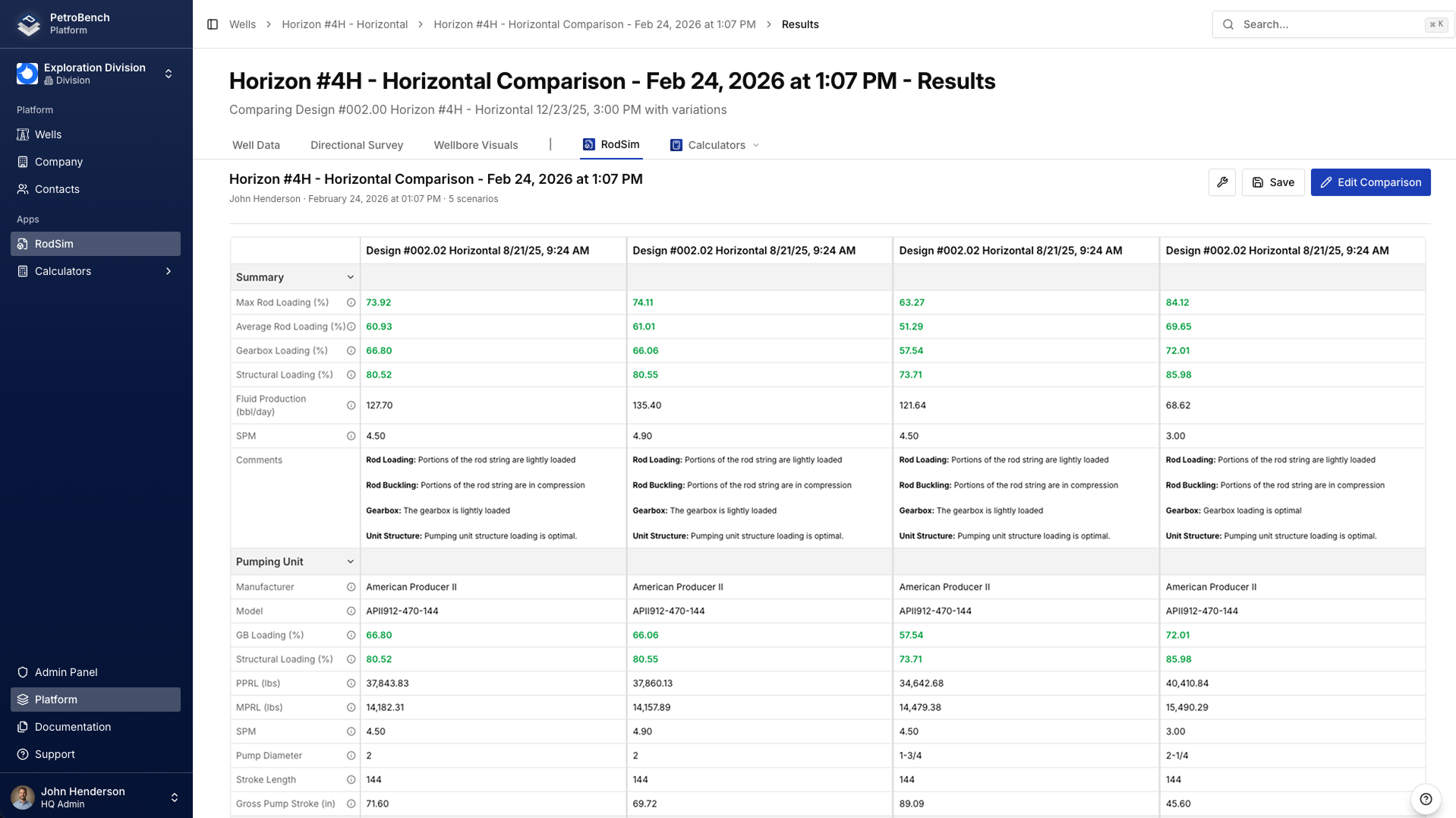
Compare 5 Designs at Once
SROD generates multiple cases through its wizard, but comparing results means scrolling through tabulated output. PetroBench runs up to five rod string configurations side-by-side with a unified results summary, so you can spot the optimal taper in seconds.
- Duplicate and tweak any design with one click
- Collapsed results view for quick comparison across all runs
- Export comparison results as PDF reports
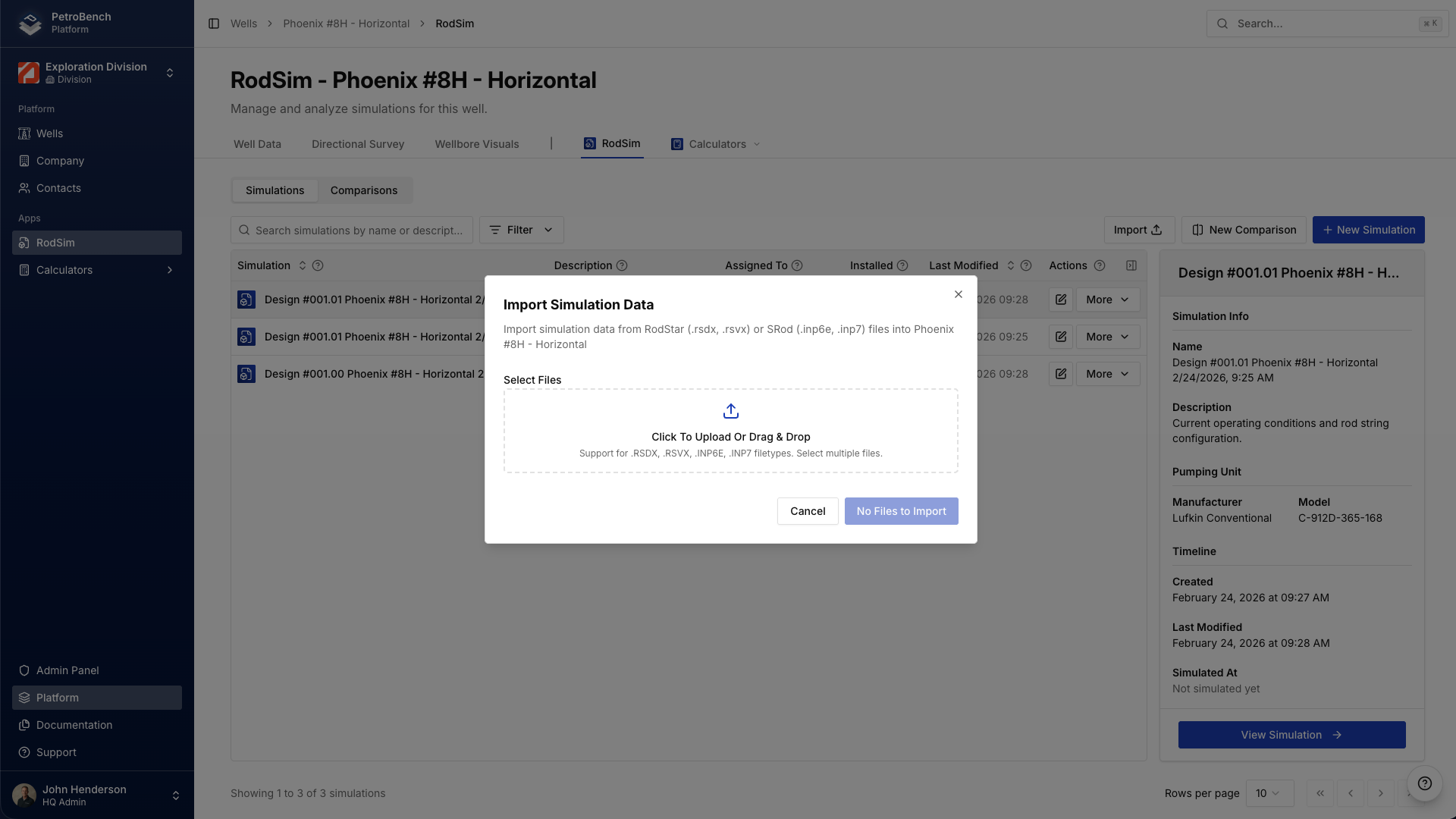
Import Your SROD Files Directly
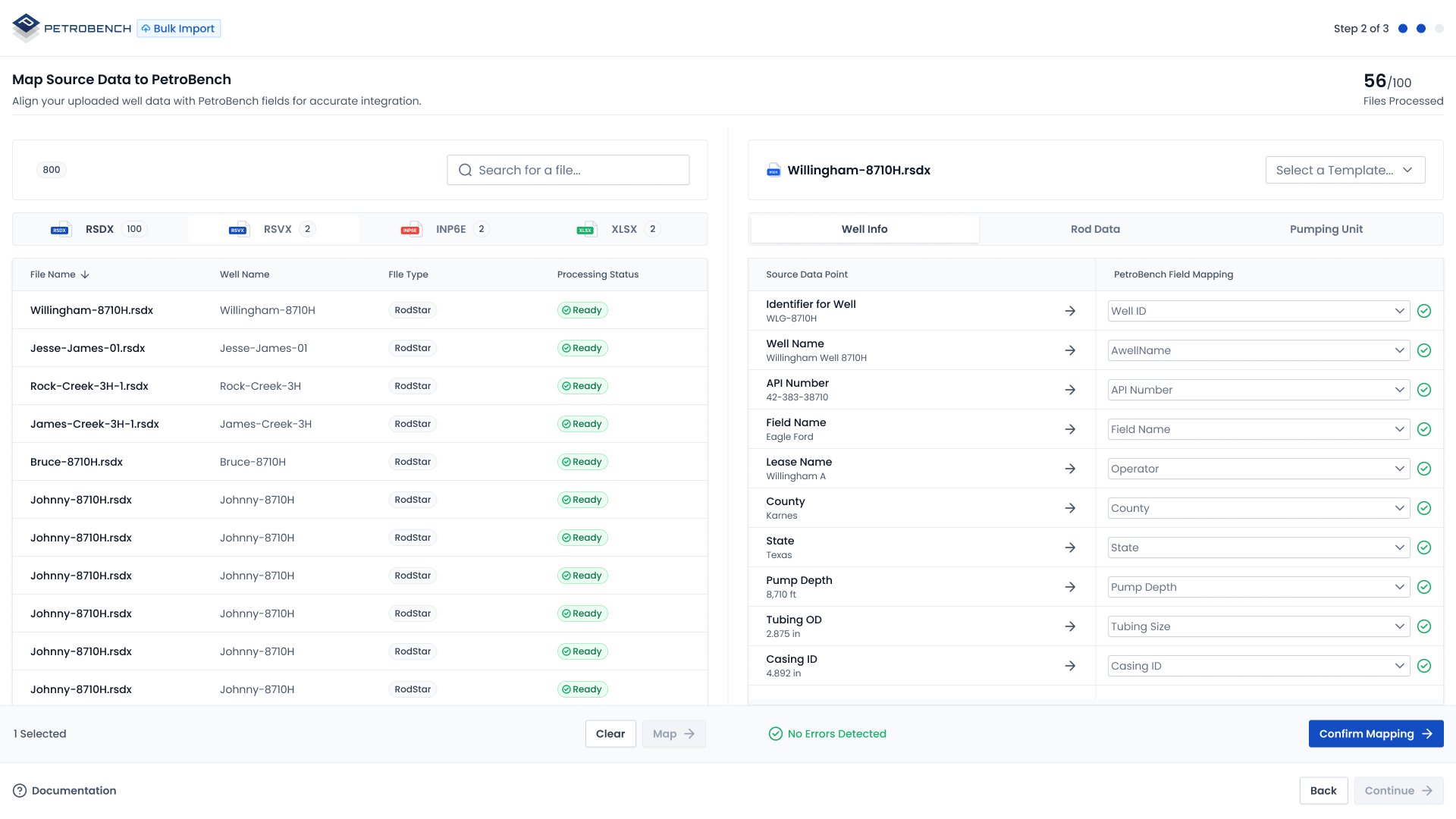
PetroBench reads SROD files with drag-and-drop import. Wells populate automatically with original configurations, rod strings, and equipment data. No manual re-entry required.
- Drag-and-drop SROD simulation files
- Directional survey import from Excel with auto-detection
- Bulk import for migrating entire well portfolios
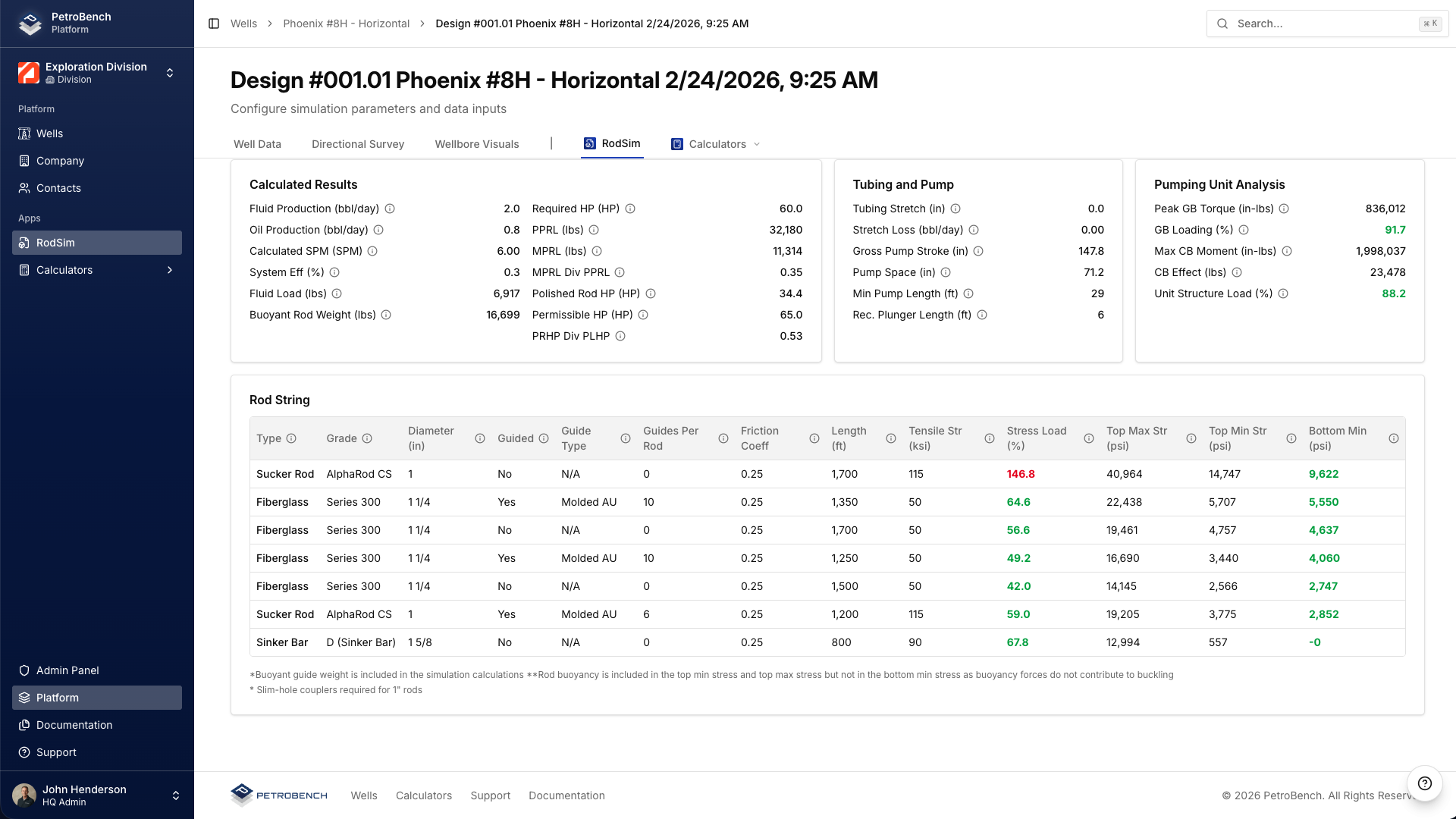
Every Result on One Screen
PPRL, MPRL, pump fillage, rod stress, gearbox torque, energy consumption, and more. PetroBench surfaces every calculated result in a structured view you can scan in seconds, not buried across multiple report tabs.
- Full rod string stress analysis per section
- Gearbox torque and counterbalance evaluation
- Energy and cost calculations per design scenario
Scale Beyond Single-Well Design
SROD handles individual well design and multi-case scenarios effectively. PetroBench scales to entire portfolios with bulk import from CSV and Excel, automated data mapping, and well management dashboards that give your team visibility across every basin.
- CSV/Excel bulk import with smart column mapping
- Centralized well dashboard with search and filtering
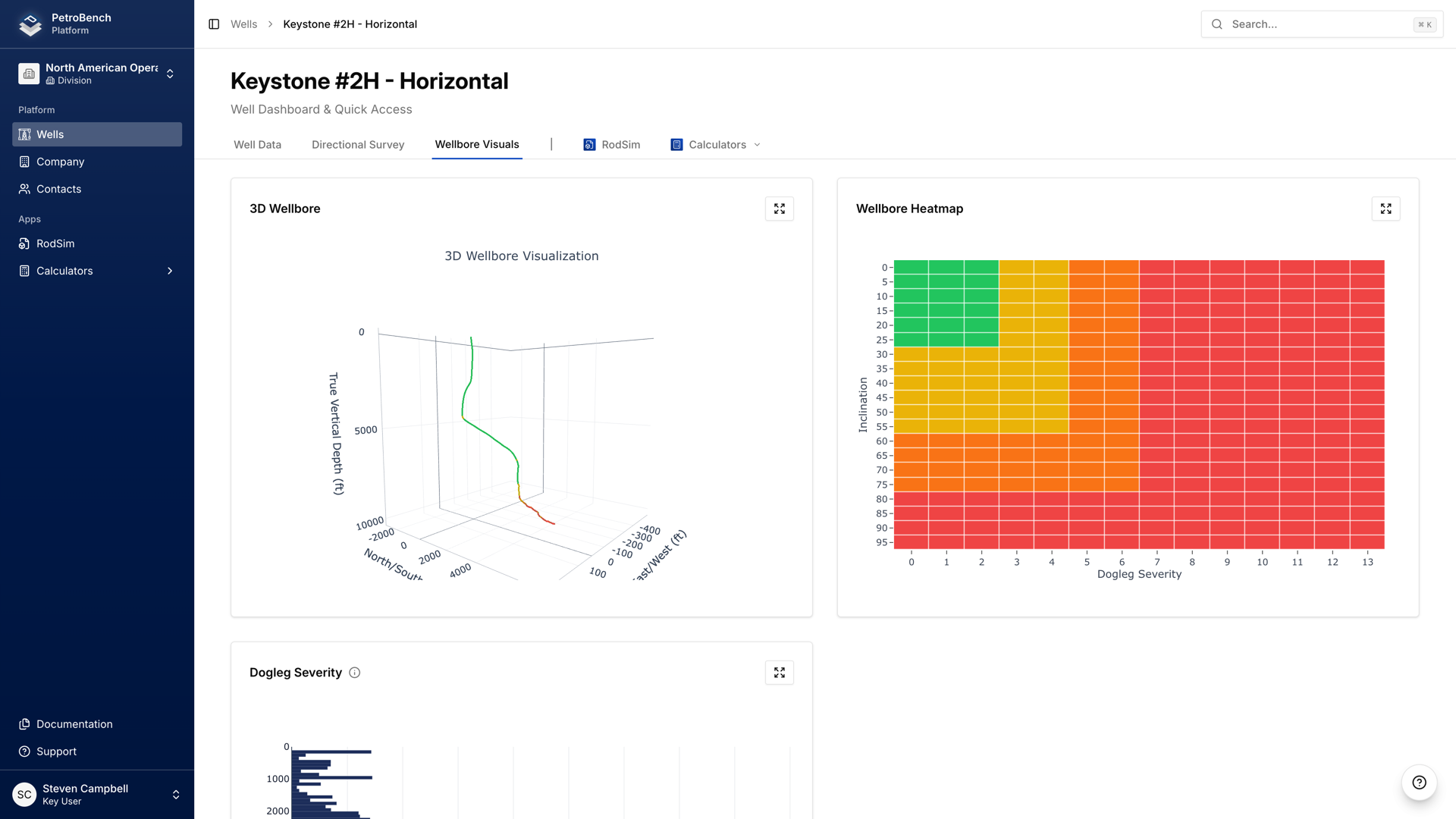
- 3D wellbore visualization with directional survey overlay
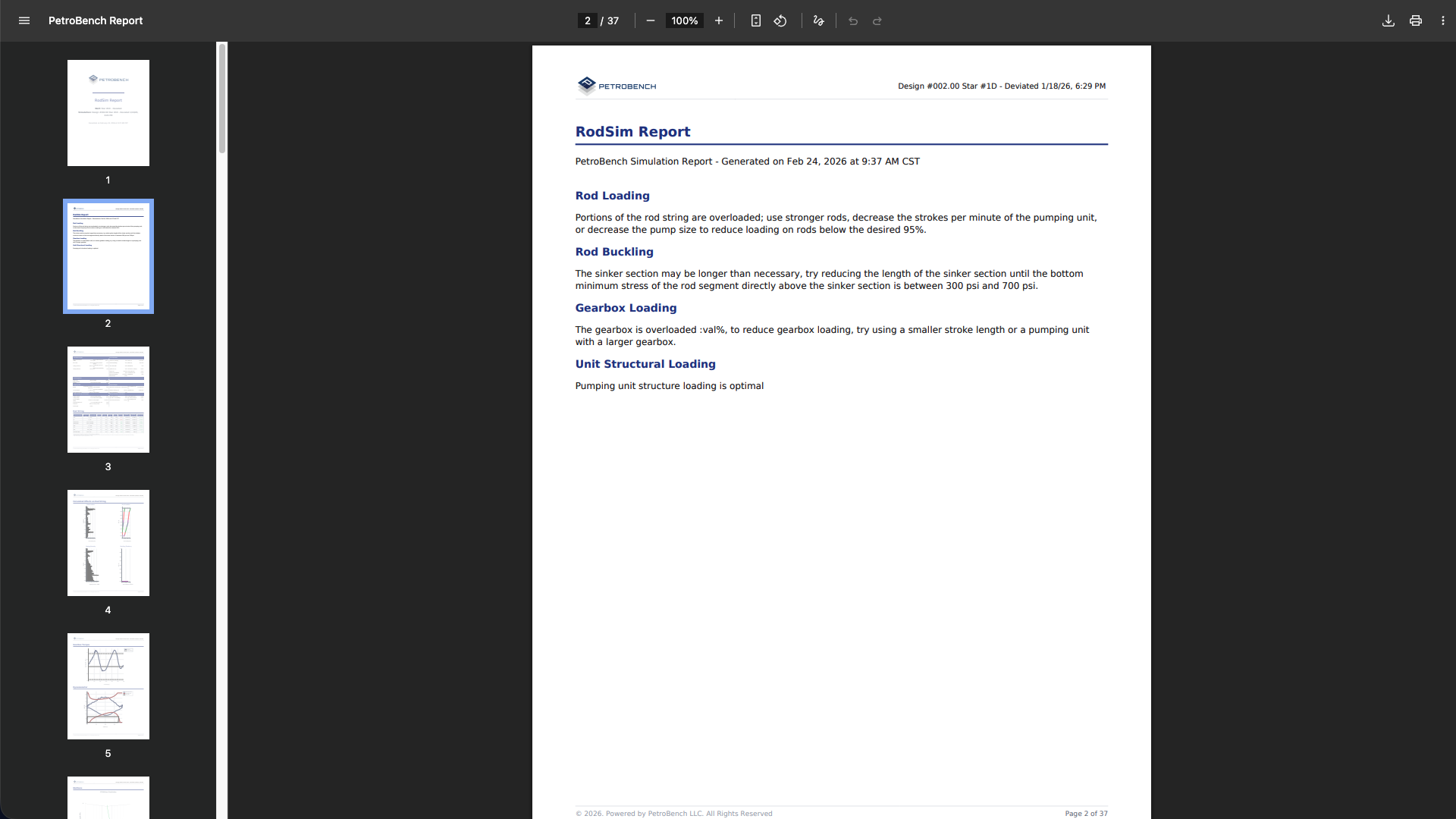
Generate PDF Reports From Any Simulation
Generate branded PDF reports with rod string charts, design evaluations, 3D wellbore visualizations, and calculated results. Share with stakeholders or archive for compliance without manually assembling spreadsheets.
- One-click PDF generation from any simulation
- Rod string charts, gearbox dynamometer, and 3D wellbore included
- Comparison reports across multiple design scenarios
See the Wellbore in 3D
Both SROD and PetroBench offer 3D wellbore visualization. PetroBench adds interactive rotation, depth inspection, and automatic inclusion in PDF reports - all inside the browser with no separate viewer required.
- Full 3D wellbore from directional survey data
- Interactive rotation and depth inspection
- Included in PDF reports automatically
How Teams Typically Switch
Most teams run both tools in parallel for 2-4 weeks before fully transitioning.
Import Your Files
Drag-and-drop your SROD files. Well data, directional surveys, equipment configurations, and rod string designs transfer automatically.
Run Both Tools Side by Side
Run the same wells in both SROD and PetroBench. Compare results. Validate accuracy on your own data before committing.
Move Your Team Over
Move your workflows to PetroBench. Version history, collaboration, and bulk processing available from day one.
Common Questions
What engineers ask before switching.
See PetroBench With Your Own Data
Send us your SROD files. We will import them into PetroBench and walk you through the results in a 20-minute call.
Our scheduling system is temporarily unavailable. Click below to schedule directly or contact us.
Have questions or need help with something else? Get in touch