
Directional surveys tell PetroBench where your wellbore actually goes, so rod lift simulations account for real geometry instead of assuming a vertical hole.
Supported format
PetroBench accepts CSV files with three required columns:
- Measured Depth (MD): in feet or meters
- Inclination: degrees from vertical (0 = vertical, 90 = horizontal)
- Azimuth: degrees from north (0-360)
Column order doesn't matter. PetroBench maps them automatically based on header names. Common aliases like "Inc," "Incl," and "Deviation" all work.
Import a survey
Open your well and navigate to the Directional Survey tab.
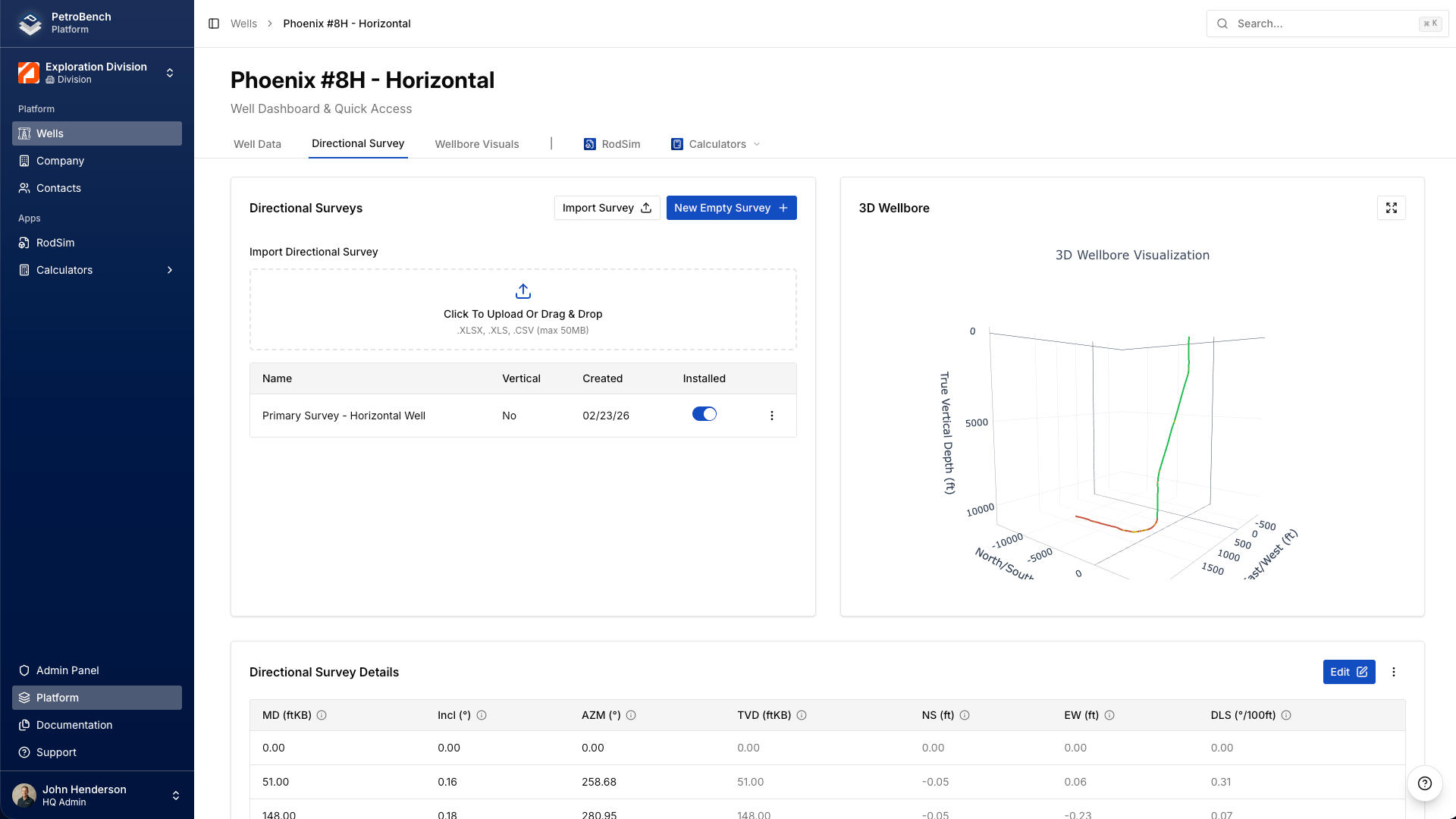
Click Import Survey and select your CSV file. PetroBench reads the headers, maps each column to the correct field, and shows you a preview before committing.
If a column can't be matched automatically, you'll get a dropdown to assign it manually. Once everything looks right, confirm the import.
Verify the data
After import, PetroBench displays the survey in a table with computed TVD and dogleg severity (DLS) for each station.
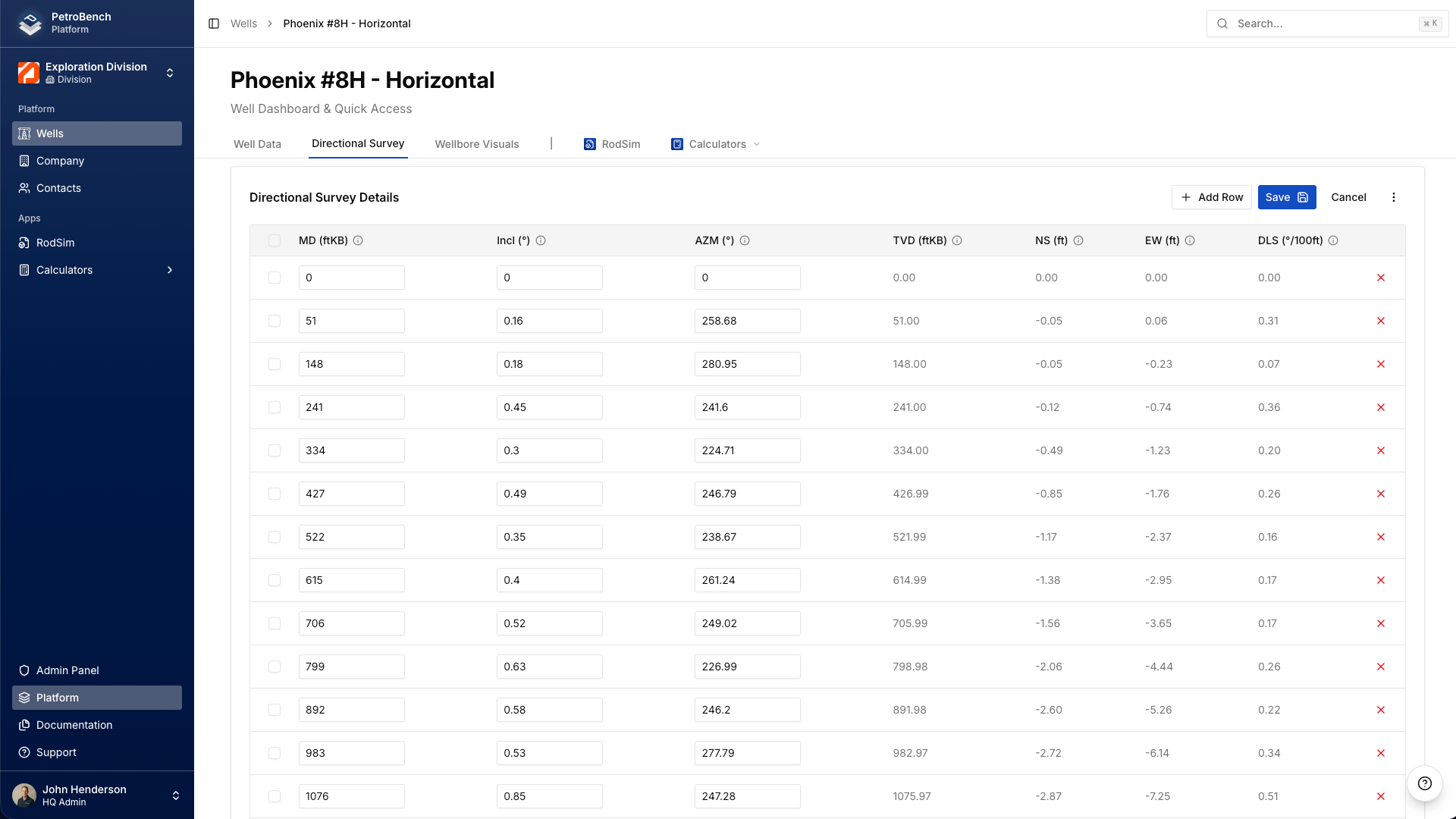
Check two things:
- 3D wellbore viewer: rotate the visualization to confirm the trajectory looks reasonable. Obvious data errors (flipped azimuth, wrong units) will show up as sharp kinks or impossible geometry.
- DLS values: dogleg severity above 3-5 deg/100ft in the rod pump zone deserves a closer look. High DLS means more rod-on-tubing contact and faster wear.
Common issues
Missing surface station: your first row should be MD = 0 with inclination and azimuth at surface values. If the survey starts at a kickoff point (say 2,000 ft), PetroBench assumes the wellbore is vertical from surface to that depth. Add the 0-depth row if you want explicit control.
Wrong units: PetroBench uses the well's unit system. If your CSV has meters but the well is set to feet, the trajectory will be compressed or stretched. Match units before importing.
Non-numeric data: text values, blanks, or special characters in numeric columns will cause the import to fail. Clean the CSV first. PetroBench will tell you which row has the problem.
Why this matters for simulation
Even modest deviation changes simulation results. A 15-degree inclination at 4,000 ft can shift calculated rod stress by 8-12%, enough to change your rod grade selection or miss a wear zone entirely.
PetroBench uses the minimum curvature method to interpolate between survey stations and calculate side forces along the rod string. These side forces determine where rods contact tubing, which directly affects:
- Rod and tubing wear predictions
- Guide and centralizer placement recommendations
- Polished rod load calculations
- Fatigue life estimates
For vertical wells with less than 2-3 degrees of deviation, importing a survey won't meaningfully change results. For anything with a build section, it's worth the two minutes.