







您的石油天然气数字工作台
先进的有杆泵设计。通过数字工具套件实现高效协作。PetroBench 以行业领先的精度和智能提供完整的全生命周期解决方案。
集成平台:




工程师协作
支持多区域、多团队的工程师并行工作
批量数据集成
通过集成数据管理导入和分析井数据
井筒精度
三次样条插值确保精确的井筒表征和准确的结果
快速且可扩展的性能
为企业级运营打造的高性能模拟
 Automated Design
 模拟设计空间
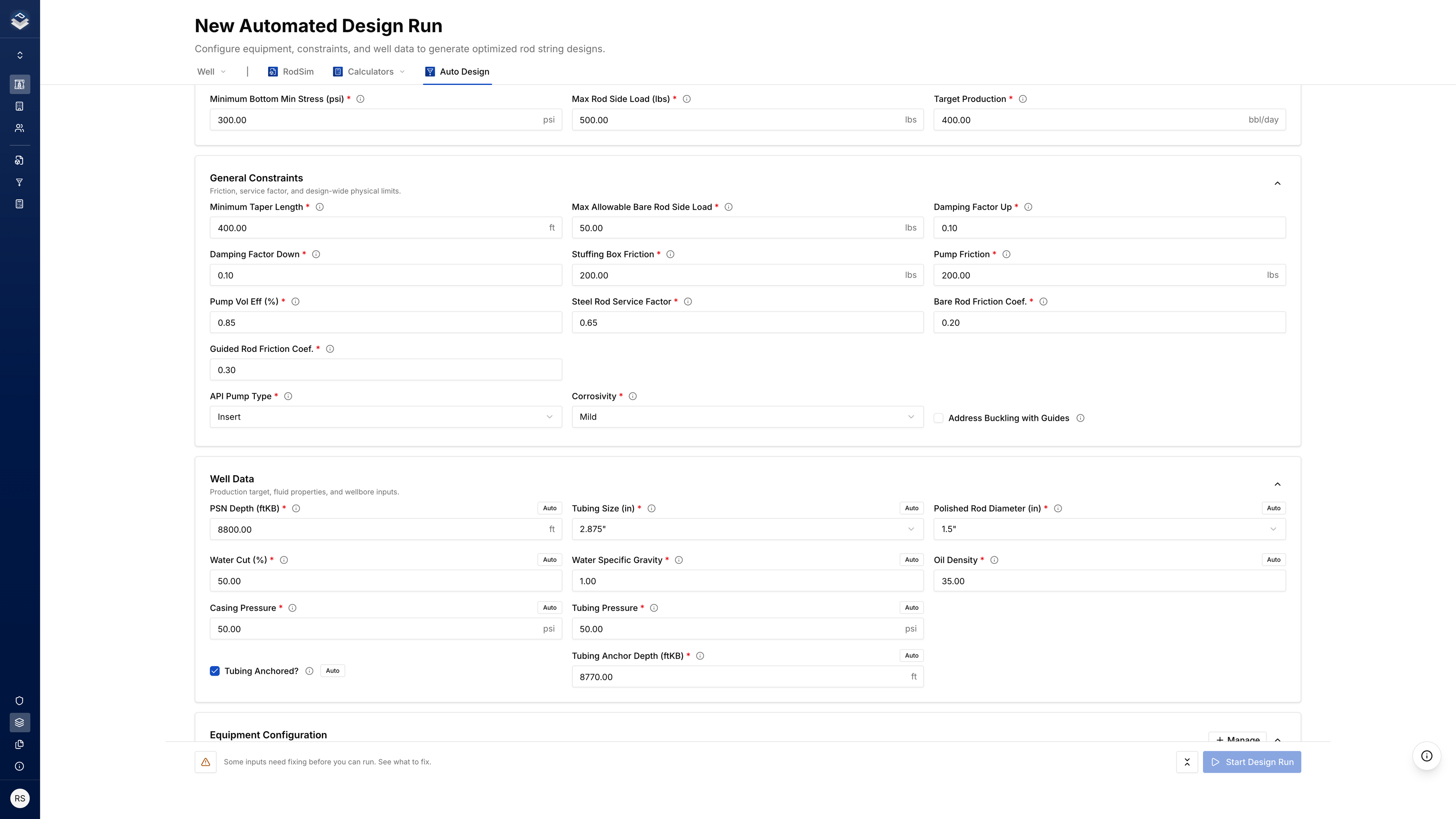
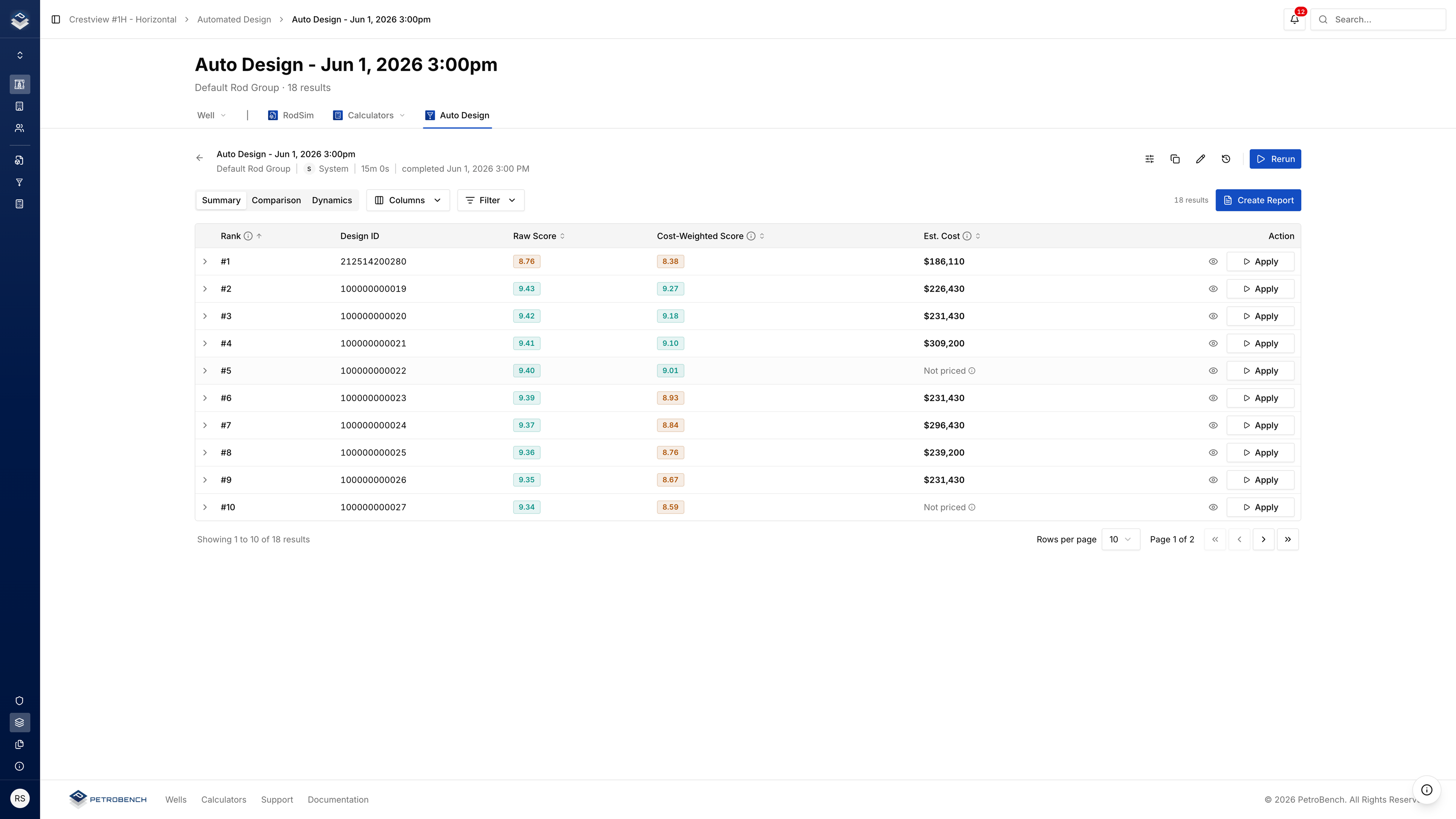
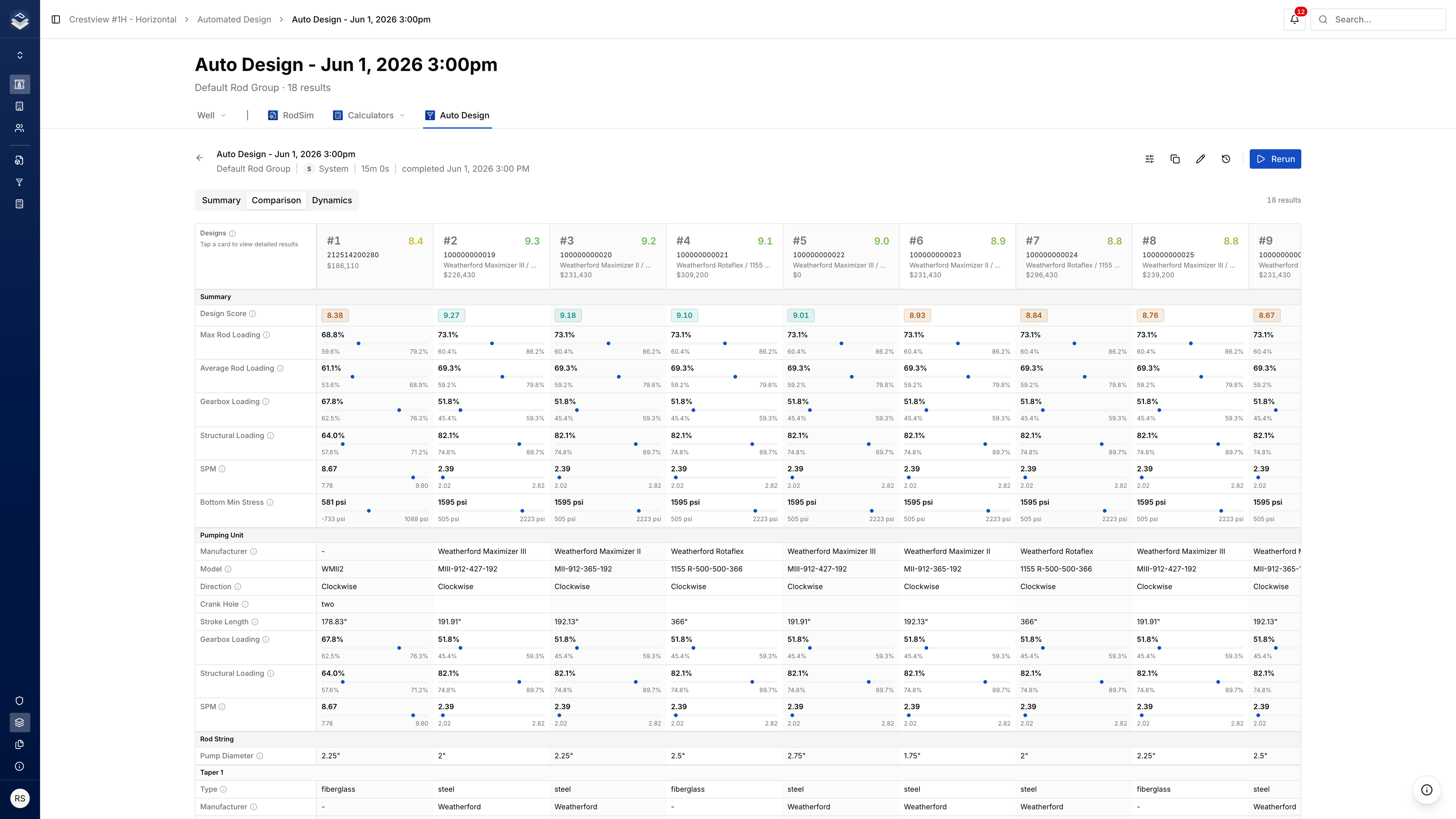
From your equipment options and well data, Automated Design builds pumping unit, pump, and rod combinations, simulates each, and keeps the top 100 ranked by cost and performance.
- 1M+ Filtering
- 200K Primary
- 80K Secondary
- 20K Tertiary
- Top 100 Dynamic
同一引擎,更大搜索范围
RodSim designs one string. Dynamics sweeps how it runs. Automated Design searches the full space and returns the top 100.
 Dynamics
 约束、排名结果、接受
设置搜索,查看前 100,接受您在井上推进的设计。
智能设计,持续优化。
以行业领先的模拟精度设计优化有杆泵系统。在井的整个生命周期中监控和优化生产性能。
井管理
统一井数据库与控制
用户管理
基于角色的访问控制
公司管理
企业设置与运营
- SSO 集成
- 多租户
- 批量操作
- 安全与审计
- 通知中心
- 评论与标注
工程师点击,智能体调用
智能体调用工程师已在运行的 RodSim 引擎。Vector 停留在打开的井上,通过引擎模拟和读取,写入受 guardrails 保护并保留完整审计。


询问 Vector,或在工作区点击运行。两者都使用当前打开井上的同一 RodSim 引擎。
草稿受写入 guardrails 保护。工程师签批前不会触及在产井。
输入和输出写入井记录。稍后打开运行,查看 RodSim 返回结果。
Three Roles. One Workspace
Engineers design. Operations review. IT connects the stack. Same wells and permissions for all three.
连接您的数据湖和遗留系统
将您的数据湖和遗留系统连接到 PetroBench,实现每次模拟中的实时数据。
-
 RSDX
RSDX -
 RSVX
RSVX -
 INP6E
INP6E -
 XLSX
XLSX
- Rod string RSDX
- Pump and tubing RSDX
- Production history Snowflake
- Directional survey WellView
遗留数据导入
使用单次导入或批量导入模块,从遗留工具导入井文件和历史数据。
企业数据集成
原生连接 Snowflake、Databricks、Azure、AWS 和 WellView,与您的现有基础设施无缝数据同步。
Questions Operators Ask
Answers before you book a walkthrough.
Yes. RodSim runs in the shared workspace, not on one laptop. The same well opens the same way for every engineer on the team.
Yes. Run the same wells in PetroBench next to your current desktop tool. Engineers compare numbers on wells they already know before the team moves the well of record into the workspace.
Yes. Bulk import brings in the common legacy formats so well files and rod strings come across without rebuilding.
Yes. Native connectors pull wells, surveys, and production data into PetroBench. File import stays available when a connector is not the path.
Most teams import a set of wells they already know, run those in the workspace, compare side by side with their current tool, then widen regions once the team is comfortable.
还有其他问题? 联系我们