Your Desktop Simulation Tool Is Holding Your Team Back
RODSTAR, SROD, and XRod defined rod pump engineering for decades. But desktop tools built for single users on Windows machines cannot keep up with how distributed engineering teams operate today. PetroBench is the cloud-native alternative.
Cloud vs Desktop, Side by Side
A direct comparison of what changes when your simulation software moves from a local install to the cloud.

Want to see the differences in action? Book a 20-minute walkthrough using your own well data.
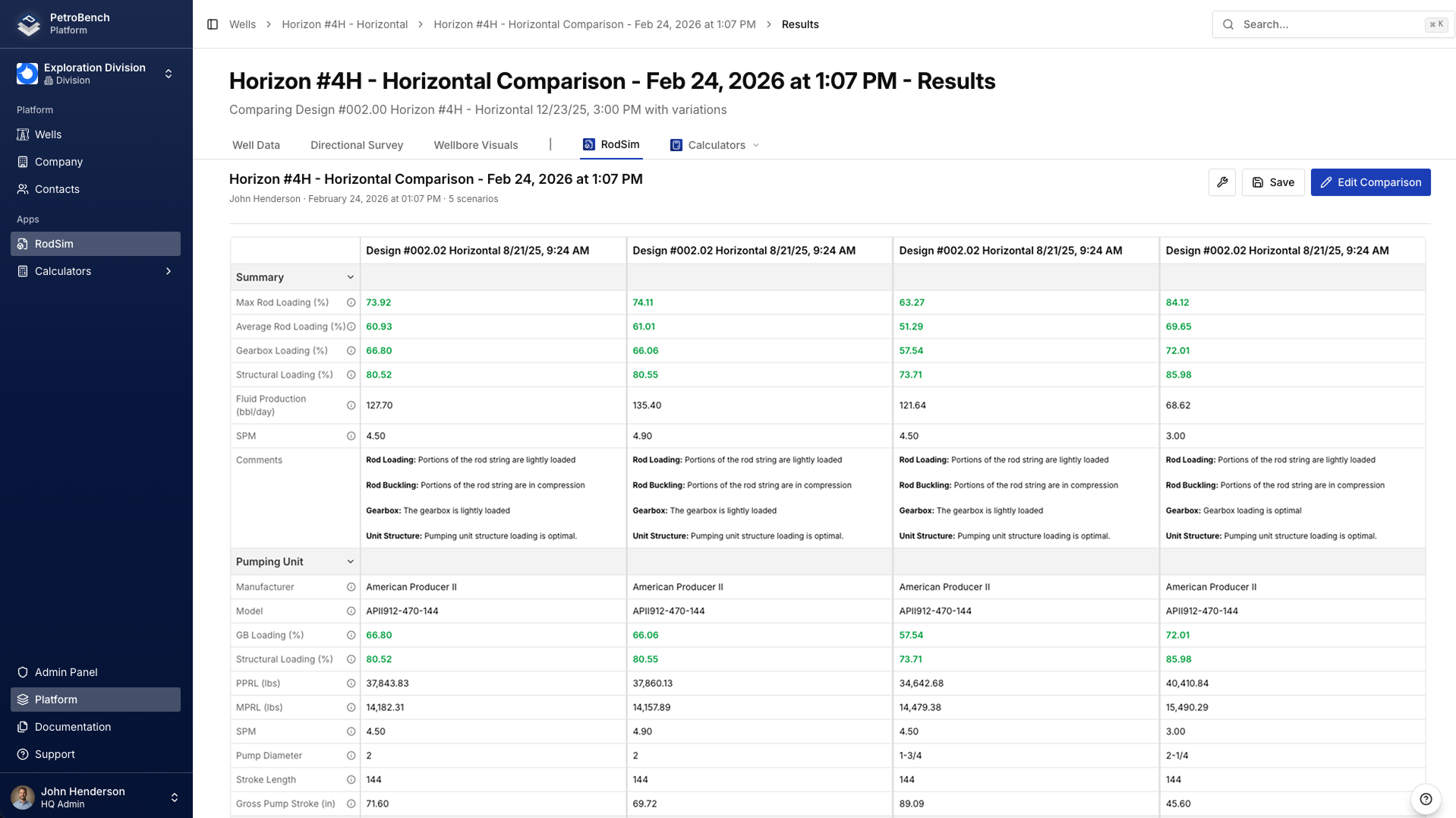
Compare 5 Designs at Once
Desktop tools evaluate one rod string design at a time. You run a simulation, export results to Excel, then repeat. PetroBench runs up to five configurations side-by-side with a unified results summary, so you spot the optimal taper in seconds.
- Duplicate and tweak any design with one click
- Collapsed results view for quick comparison across all runs
- No more toggling between files or assembling spreadsheets
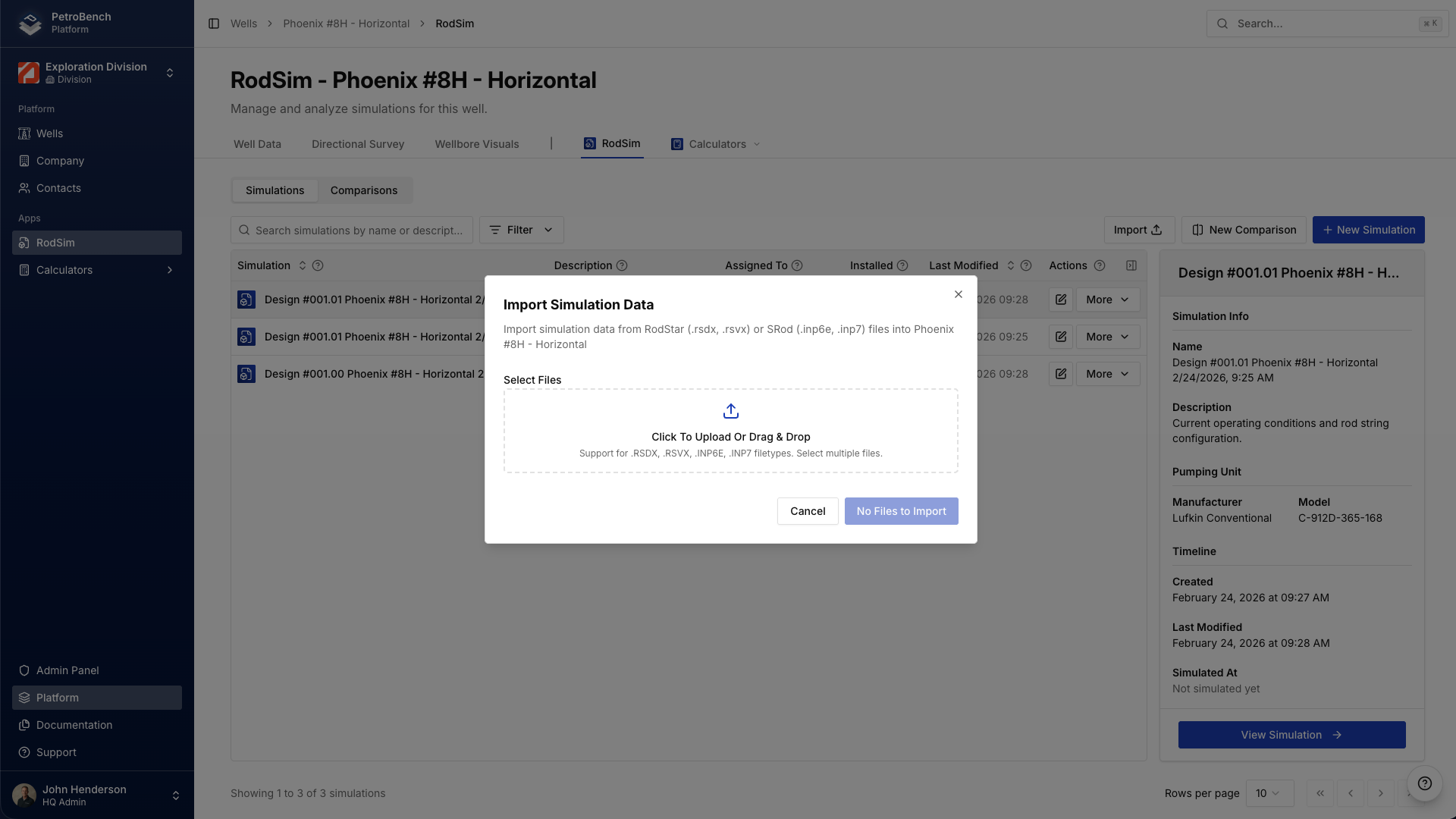
Import Files From Any Desktop Tool
PetroBench reads SROD and RODSTAR files with drag-and-drop import. Wells populate automatically with original configurations, rod strings, and equipment data. No manual re-entry, no format conversion.
- Drag-and-drop SROD and RODSTAR simulation files
- Directional survey import from Excel with auto-detection
- Bulk import for migrating entire well portfolios at once
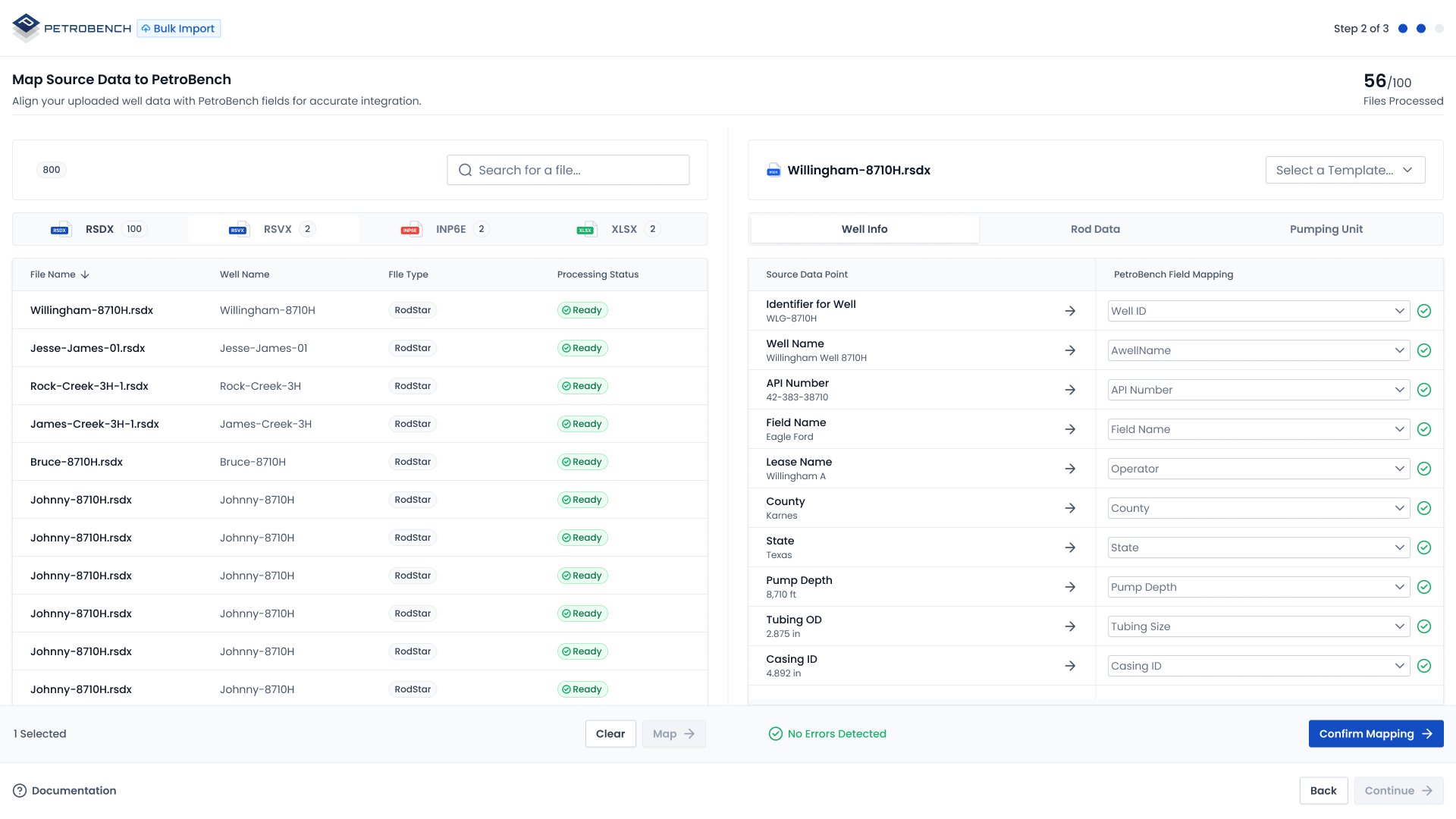
Scale Beyond Single-Well Design
Desktop tools process one well at a time. PetroBench handles entire portfolios with CSV and Excel bulk import, automated data mapping, and well management dashboards that give your team visibility across every basin.
- CSV/Excel bulk import with smart column mapping
- Centralized well dashboard with search and filtering
- Run bulk simulations across 250+ wells in one batch
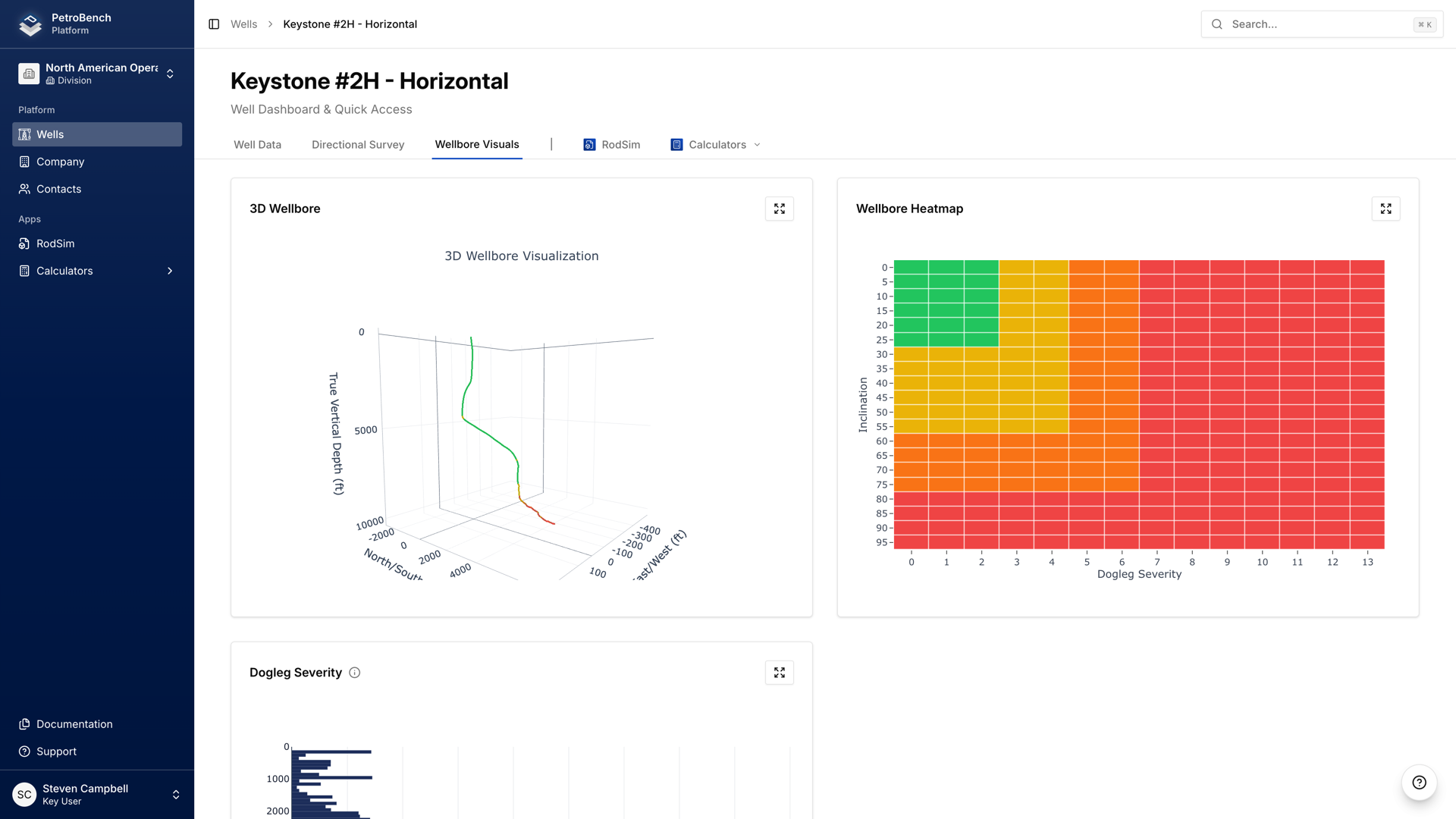
See the Wellbore in 3D
Desktop tools rely on 2D cross-sections or separate CAD programs for wellbore visualization. PetroBench renders the entire wellbore path in 3D directly in your browser. Rotate, zoom, and inspect any depth with directional survey data overlaid.
- Full 3D wellbore from directional survey data
- Interactive rotation and depth inspection
- Included in PDF reports automatically
Generate Reports, Not Spreadsheets
Desktop tools force you to export data to Excel, then manually assemble reports. PetroBench generates branded PDF reports with rod string charts, design evaluations, 3D wellbore visualizations, and calculated results in one click.
- One-click PDF generation from any simulation
- Rod string charts, gearbox dynamometer, and 3D wellbore included
- Comparison reports across multiple design scenarios
How Teams Typically Switch
Most teams run both tools in parallel for 2-4 weeks before fully transitioning.
Import Your Existing Files
Drag-and-drop your SROD and RODSTAR files. Well data, directional surveys, equipment configurations, and rod string designs transfer automatically. No re-entry.
Validate Results Side by Side
Run the same wells in your desktop tool and PetroBench. Compare simulation results. Validate accuracy on your own data before committing to the switch.
Move Your Team to the Cloud
Set up SSO, invite your team, configure shared equipment libraries. Version history, collaboration, and bulk processing available from day one.
Common Questions
What engineers ask before switching.
Ready to Move Rod Pump Design to the Cloud?
Book a 20-minute walkthrough. We will import your files and show you how PetroBench handles your wells.
Our scheduling system is temporarily unavailable. Click below to schedule directly or contact us.
Have questions or need help with something else? Get in touch