




One Org. Clear Control
HQ sets the standard. Divisions and regions inherit it. One view of the wells, roles and logs keep it aligned.
 US
US - Permian Basin
- Bakken
- Eagle Ford
US Platform - Cloud Tenant Isolation
- Multi-Language
- Unit Support
- SSO / SCIM
- Local Integrations
- Security & Compliance
 Canada
 - Alberta
- Saskatchewan
- Manitoba
Canada Platform - Cloud Tenant Isolation
- Multi-Language
- Unit Support
- SSO / SCIM
- Local Integrations
- Security & Compliance
-
 Argentina
 -
 Colombia
 -
 Ecuador
- Cloud Tenant Isolation
- Multi-Language
- Unit Support
- SSO / SCIM
- Local Integrations
- Security & Compliance
-
 Oman
Oman -
 Kuwait
 -
 Saudi Arabia
- Cloud Tenant Isolation
- Multi-Language
- Unit Support
- SSO / SCIM
- Local Integrations
- Security & Compliance
-
 China
China -
 Malaysia
 -
 Australia
- Cloud Tenant Isolation
- Multi-Language
- Unit Support
- SSO / SCIM
- Local Integrations
- Security & Compliance
Mirror How Your Company Runs
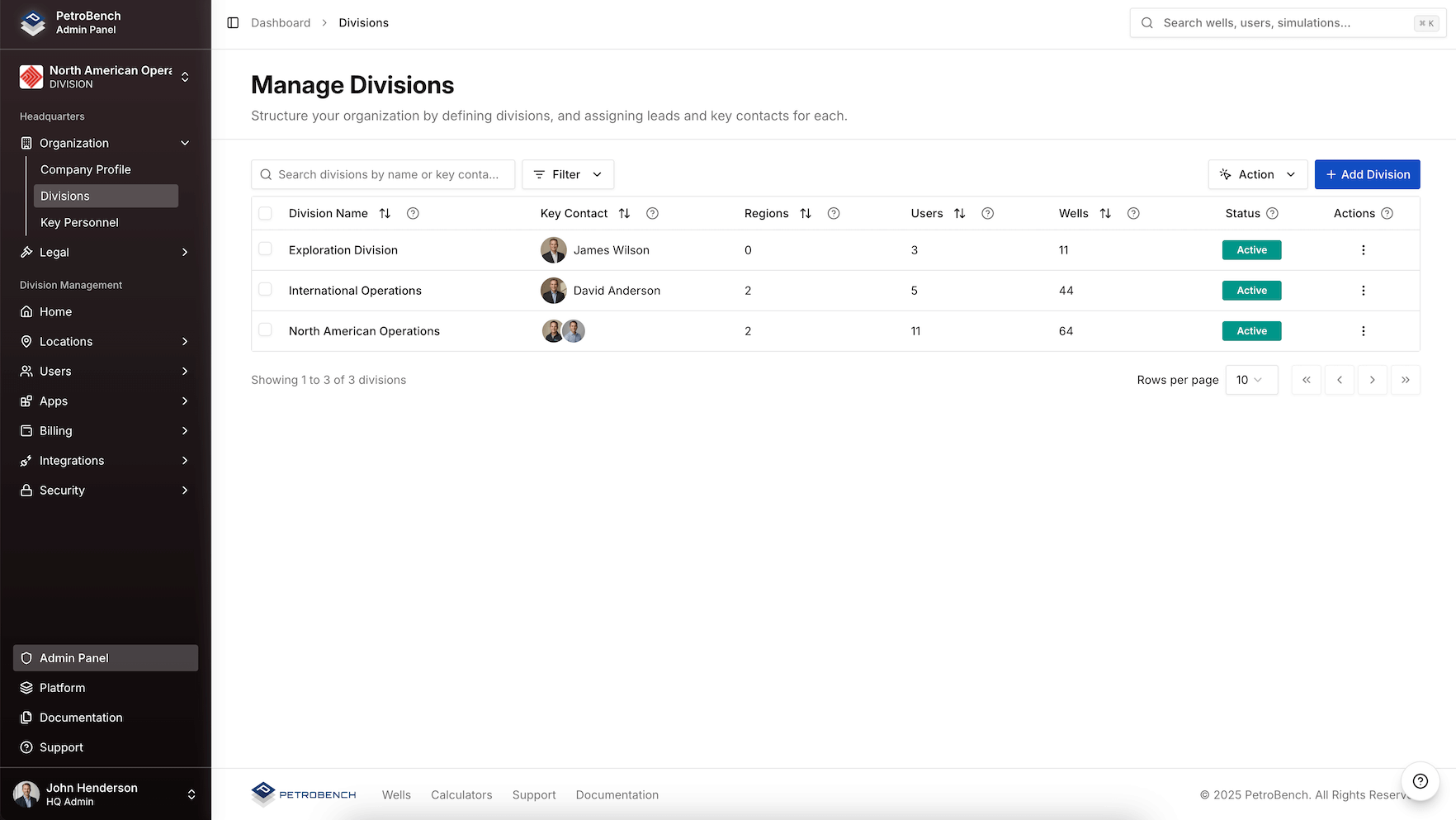
PetroBench follows Headquarters, Division, Region, and Group, not a flat user list. Wells, people, and permissions land where they belong.
- Headquarters sets the standard
- Divisions match basins and business units
- Regions own local wells and teams
- Groups keep engineers scoped to the right assets
Set the Standard Once. Inherit Everywhere
HQ publishes the catalog. Divisions work inside it, no parallel equipment lists or unit systems.
Equipment Published Once
One equipment library, inherited by every division.
Units and Language
Imperial, metric, or international, with org language defaults.
Templates and Rules
Design templates and operating rules shared with every team.
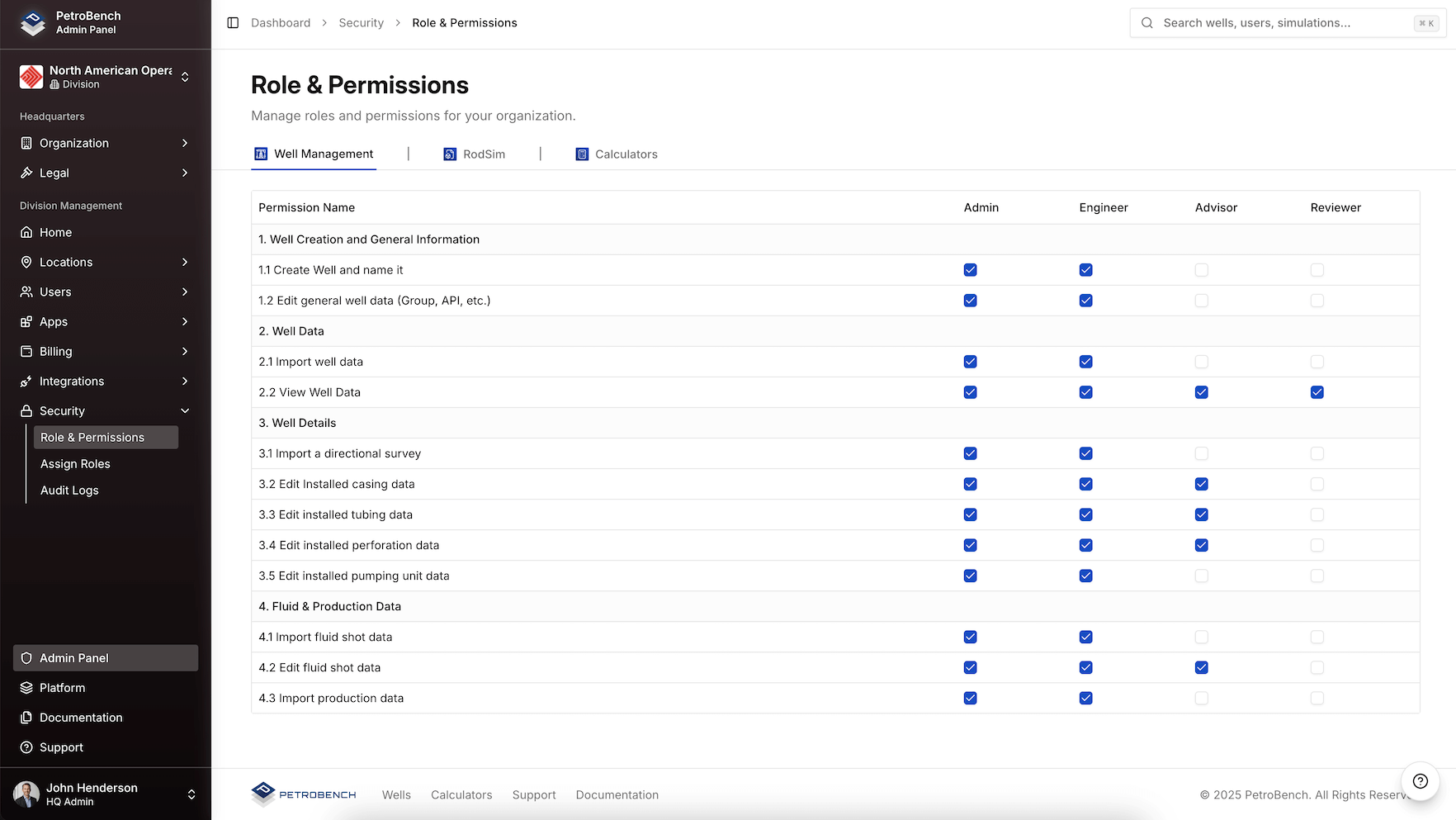
Control Who Can View, Edit, and Approve
Define exactly who can act on each product, scoped to the org tree. Leadership sees role changes and access events without standing up a second identity system.
- Per-product roles for RodSim, Dynamics, Automated Design, and Vector
- View, edit, simulate, and approve, scoped to HQ, division, region, or group
- Every role change and denied access lands in the security log
One View Across the Org
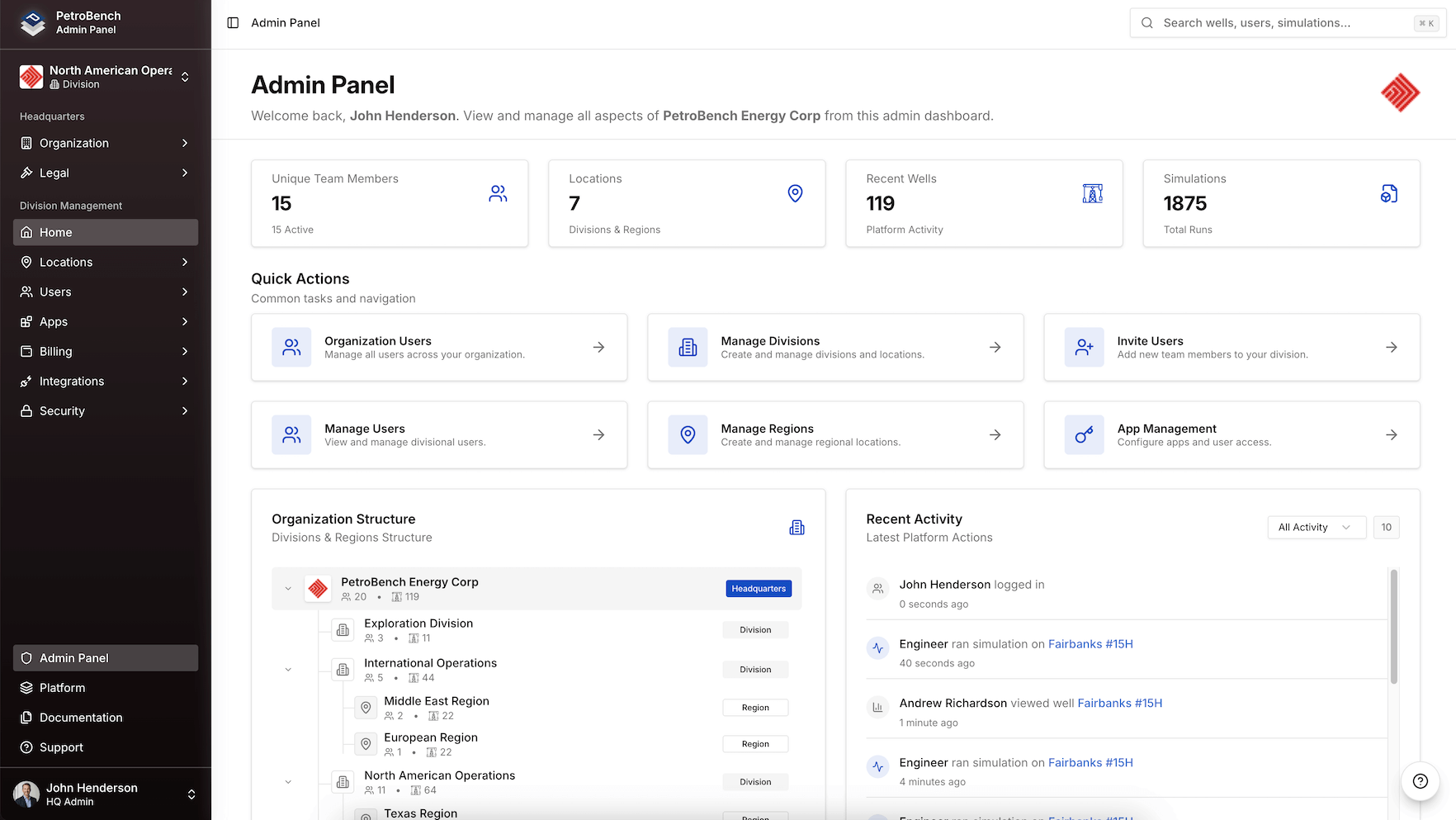
Leadership sees structure, users, wells, and recent activity in one place. Regions stay scoped. HQ stays informed without chasing decks.
- One analytic view across HQ, divisions, regions, and groups
- Users and wells scoped to the org tree they belong to
- Recent activity across business units without spreadsheet chase
- See which regions need review before the next ops meeting
Questions Leadership Asks First
What ops leads ask before a multi-division rollout.
PetroBench mirrors your operating structure: Headquarters, Divisions, Regions, and Groups. HQ sets equipment libraries, unit systems, languages, templates, and governance rules. Lower levels inherit those standards and scope wells to their teams.
Each product | RodSim, RodSim Dynamics, Automated Design, and Vector, has its own permission model. Roles scope access to the org tree. Permission changes and denied access land in the security log.
Yes. HQ admins get an organization-wide dashboard, wells, users, regions, and recent activity across divisions in one cloud tenant. Region and division admins see only their scoped data.
Divisions operate within HQ-published libraries and templates. They configure basin-specific defaults and manage regions and groups under their division, without creating isolated accounts or duplicate equipment catalogs.
Yes. Start with one division or region under the same HQ tenant. Standards, equipment libraries, and roles stay ready for the next business unit when you expand.
More questions? Contact Us
See Your Org on PetroBench
Walk HQ, divisions, and regions on a pilot well set your engineers already know.