




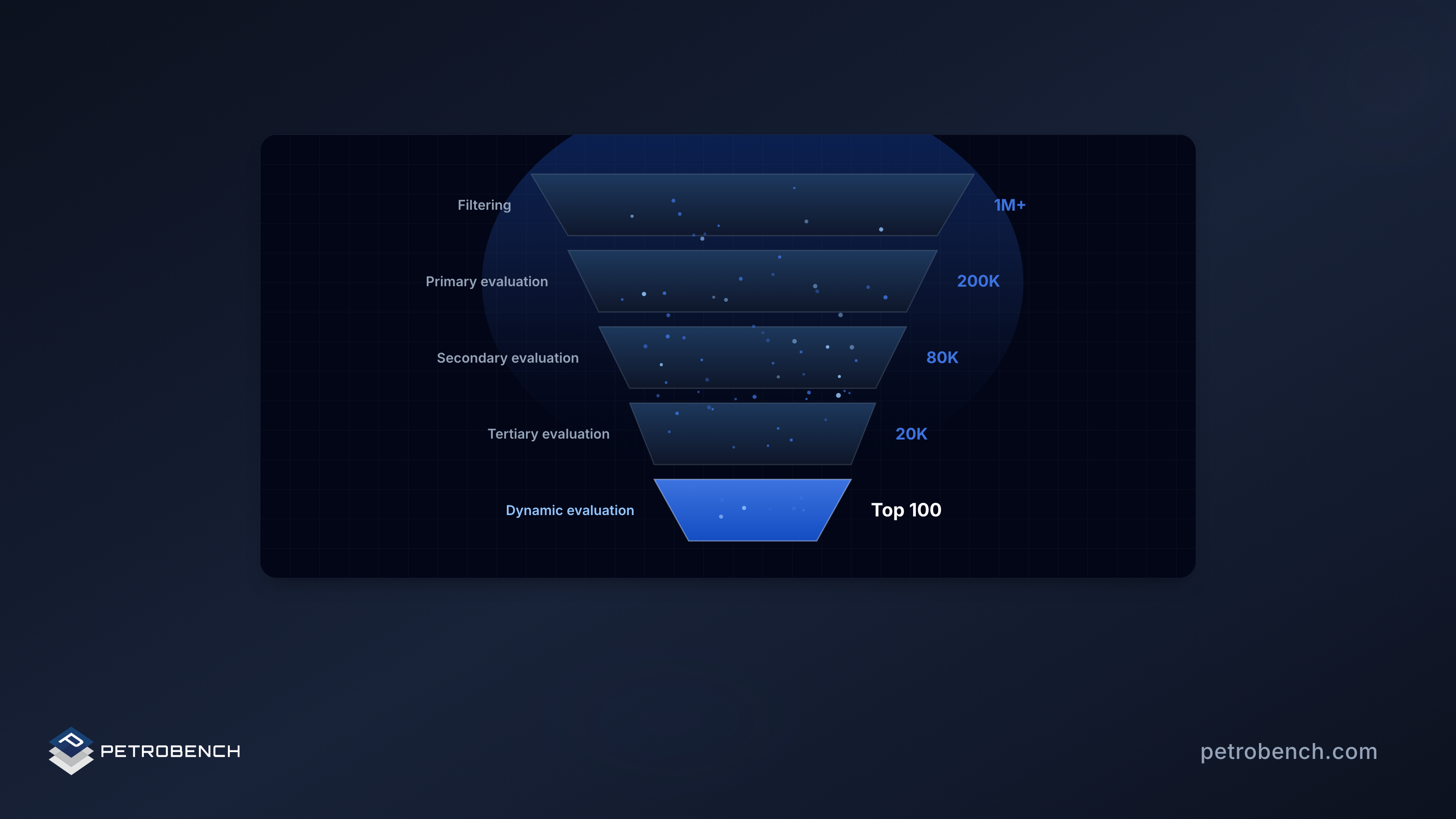
Today we're making Automated Design generally available to all PetroBench customers. It builds every feasible design for a well, simulates each one, and returns the top 100 ranked on technical correctness and on cost.
From one design to every design
RodSim simulates one rod string design. You set up the well, pick the pumping unit, pump and rods, and get the result in seconds. RodSim Dynamics takes that design and runs it under real operating loads, so you see what the string sees while it pumps. Automated Design runs the same physics across every feasible combination of pumping unit, pump and rod string for the well.
That's the connection. The three apps share one engine, one well setup and one set of equipment data. A design that comes out of Automated Design opens in RodSim like any other design, and you can run it through Dynamics before you order. Nothing is re-entered and nothing is approximated.
What that changes
The rod string that gets installed is usually the best of the handful of designs anyone had time to run. The feasible design space for the same well holds every combination of pumping unit, pump and rods, and almost none of it ever gets simulated. Automated Design simulates all of it.
Each of the top 100 designs carries two scores: a raw score for technical correctness and a cost optimized score. The top five designs for one well can differ by up to $40,000 in price. That spread is visible in the results view before anything is ordered.
A run sits on the well like any other simulation. It's versioned, it's in the audit trail, and the whole team can open it. You can put any ranked design side by side with your own in the comparison view, and you can still design by hand whenever you want to.
Examples
- Run a workover candidate and read the top of the ranking next to the design you were about to order.
- Take the top ranked design into RodSim Dynamics and check it under fluid pound before you approve it.
- Rerun a well with one rod size excluded and compare the new top 100 with the previous run.
- Run every well in a field and sort the results by cost optimized score.
- Pull ranked designs into Snowflake or Databricks through the API, or ask an agent for them through the MCP server.
Getting started
Book a demo at petrobench.com/demo.
If you're already a PetroBench customer, open Automated Design from the apps menu and start a run on any well.
Where this is going
We started PetroBench more than five years ago as a shared cloud platform for rod lift engineering. A single Automated Design run is tens of millions of simulations, and it has to finish in minutes. That only works because the engine, the well data and the equipment catalog already live on one platform, and because that platform runs at cloud scale.
Our bet is that design search becomes the default way a rod string gets chosen, with the engineer reviewing and constraining the ranking instead of building candidates by hand. Next versions add rod reuse and inventory sync, so the ranking can prefer the steel you already own. The scoring stays inspectable either way.
Related: How Cloud Simulation Changes Your Daily Workflow. How to Use the Comparison View.